
How do you run a school quiz competition online?
Most school quizzes run as rounds, say a general knowledge round, a science round, then a tie breaker. On Quizzory you make one quiz per round, set a timer, and share one WhatsApp link. Every student attempts at once on any phone browser, with no app and no login. MCQ and short answers score on their own, the leaderboard ranks by score then by speed when you refresh, and you read off the top ranks to declare the winners. It is not a live buzzer system, so it fits written and rapid MCQ rounds where everyone answers together, not a press-first buzzer face off.
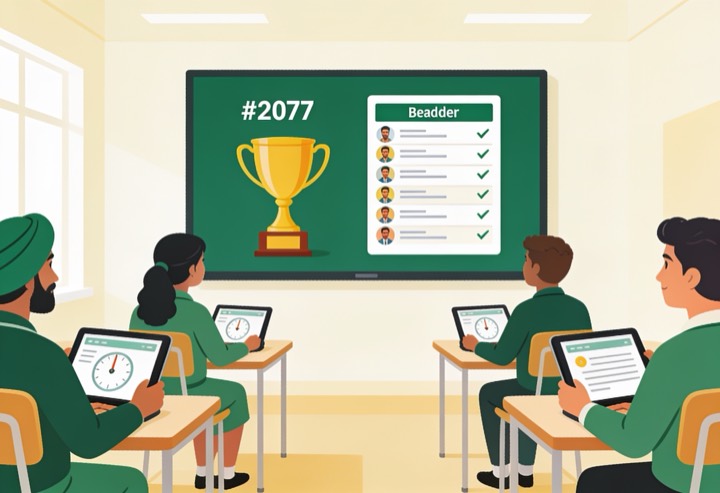
How to run a school quiz competition, step by step
Six simple steps from making the quiz to naming the winners.
- 1
Sign in and make your rounds
Open Quizzory, sign in with your free SurveyHeart account (needed to create), and make a new quiz. Add MCQ, short answer, or long answer questions. Make one quiz per round, for example Round 1 GK with 10 MCQ, Round 2 Science with 10 MCQ, so each round has its own link, timer, and leaderboard. A short rapid round of quick MCQ works well here, since every student answers at once.
- 2
Set a timer that auto-submits
Turn on the timer and pick how long each round runs, say 10 or 15 minutes. When the time is up the quiz submits on its own, so every student gets the same fair window and nobody can keep going after the bell.
- 3
Share one WhatsApp link
Tap to share and send the link to your class group on WhatsApp. Students open it on any phone browser. They do not need to install an app or log in just to attempt, so even a borrowed phone works.
- 4
Let answers score and grade the long ones
MCQ and short answers are scored automatically the moment a student submits. Long answer questions need you to read each reply and award marks by hand, so finish that manual evaluation before you trust the ranks.
- 5
Open the leaderboard and refresh
The leaderboard ranks students by score, and ties are broken by who finished faster. It is not live, so refresh the page after a round closes to pull in the latest results before you read the standings.
- 6
Declare the winners from the ranks
Read the top ranks straight off the refreshed leaderboard and announce 1st, 2nd, and 3rd. Use the report of every score to settle any doubt and to share results with parents or the staff room later.
The same test, on every student phone
A timer that submits on its own, one question at a time with clear right and wrong marks, an instant score and a rank list.
A timer that submits on its own, with one clear question at a time.
A percent ring with a correct, wrong and skipped split, the moment a student submits.
After they finish, students see the right answers, so the test doubles as revision.
Tips to keep the competition fair and fun
Match time to question count
Give roughly 30 to 60 seconds per question so the timer feels fair, not rushed.
Grade long answers first
Finish manual marking of long answers before showing ranks, or the leaderboard is incomplete.
Refresh before you read ranks
The leaderboard updates on refresh, not live, so reload the page once the round closes.
One quiz per round
Keep each round a separate quiz so scores and leaderboards stay clean and easy to read out.
Share the link only at start time
Send the WhatsApp link when the round begins so everyone starts together and the window is equal.
Keep the score report
Save the report of every score as your record for re-checks, prizes, and sharing with parents.
Run your school quiz competition today
Make the rounds, set the timer, share one link, and let the leaderboard pick your winners.
Questions people ask
Do students need to install an app or log in to join?add
No. Students open your shared link in any phone browser and start the quiz. No app and no login are needed just to attempt it.
Is the leaderboard live during the competition?add
No, it is not live. The leaderboard ranks by score and then by speed, and it updates when you refresh the page, so reload it after a round to see the latest standings.
How are ties broken when two students get the same score?add
Speed breaks the tie. The student who finished faster ranks higher, so the leaderboard order is clear even when scores match.
Are all answers scored automatically?add
MCQ and short answers are scored automatically. Long answer questions are evaluated by you, the creator, who reads each reply and awards the marks by hand.
Can I run several rounds in one competition?add
Yes. Make one quiz per round so each round has its own timer, link, and leaderboard. Then add up or compare the round results to decide the overall winners.
Can Quizzory run a live buzzer round?add
No, there is no press-first buzzer. Quizzory suits rounds where every student answers the same questions at once, like a general knowledge round or a rapid MCQ round. Since ties break by who finished faster, a short timed round still rewards quick thinking, just without a live buzzer race.